FF&E Schedule Template: Columns, Statuses and Tracking
The FF&E schedule is the backbone of every interiors project. Here are the columns it needs, how to structure it and how to keep it alive from sign-off to delivery.
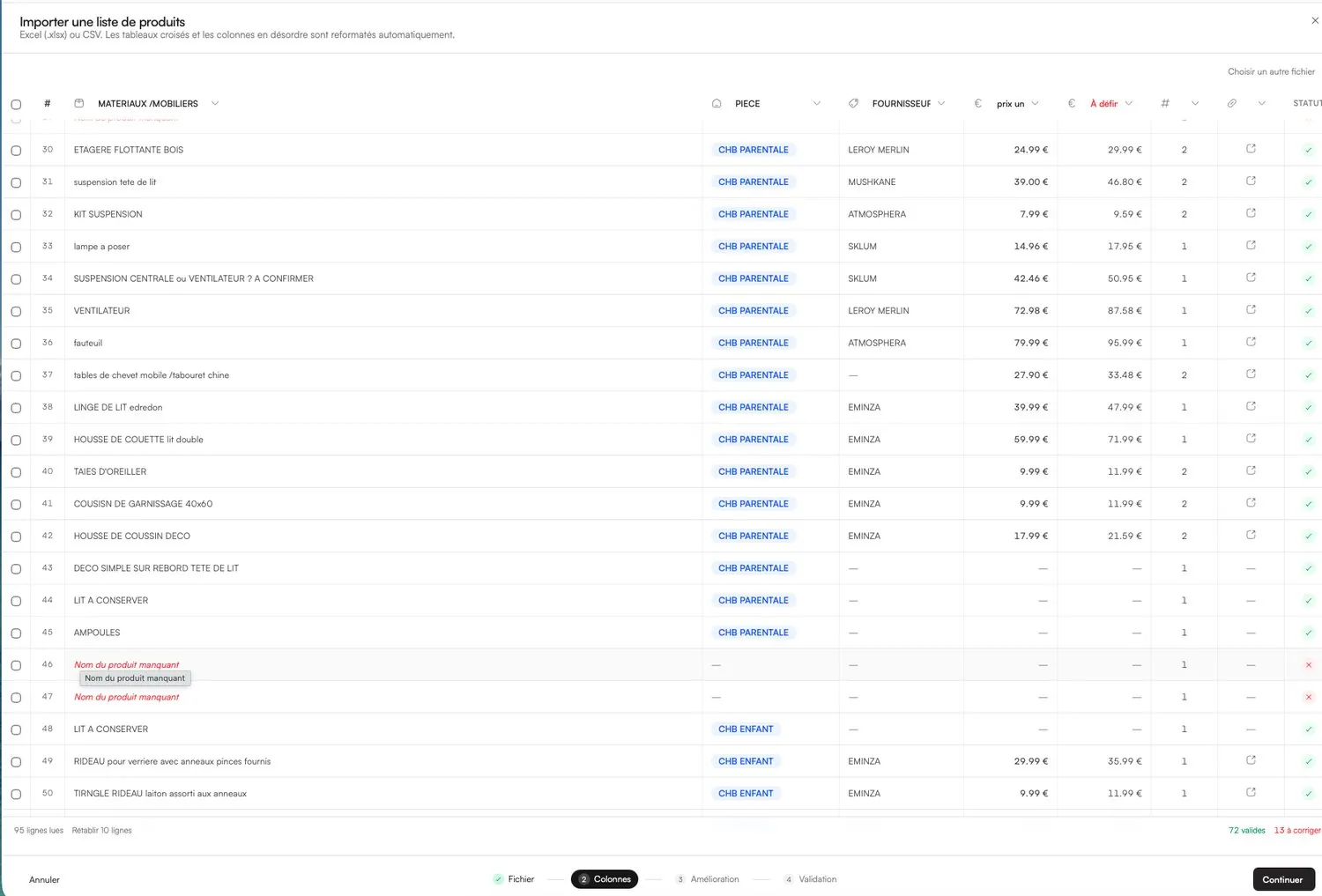
An FF&E schedule (furniture, fixtures and equipment) is the master list of every item specified for an interiors project, with everything needed to approve, price, order, deliver and install it. A good template has one row per item and columns for identification, specification, money and logistics. Below you will find the columns that matter, a structure you can copy into a spreadsheet today, a status ladder for tracking orders, and the signs that it is time to move the schedule out of a spreadsheet.
What an FF&E schedule is, and who uses it
The schedule is the point where design becomes operations. The moodboard says what a room will feel like; the schedule says exactly which sofa, in which fabric, how many, from whom, for how much and when it arrives. It is read by several people with different needs:
- The client approves items and budget, usually on a simplified version without trade prices.
- The contractor needs fixtures, dimensions and installation requirements.
- Suppliers receive references, finishes and quantities in orders.
- Installers and the studio team need delivery dates, locations and status.
What counts as a fixture, and whether it sits in your scope or the contractor's, varies from project to project. Clarify it in your appointment and mark each line accordingly, so nobody assumes the other party ordered the wall lights.
The essential columns
You do not need every column on day one, but a schedule missing the money or logistics columns will force you to start a second file later. That second file is where errors come from.
| Column | What goes in it | Why it matters |
|---|---|---|
| Item code | A unique reference, e.g. LR-03 for the third item in the living room | Used in drawings, orders and conversations to avoid “the grey chair” |
| Room / area | Living room, Bedroom 1, Kitchen… | Totals per room, delivery to the right place |
| Category | Furniture, lighting, textiles, accessories, fixtures | Budget breakdown and filtering |
| Description | Plain-language name of the item | Readable by the client and the installer |
| Supplier and product reference | Brand, supplier, product code, link | What you will actually order |
| Finish / colour / fabric | Fabric name and colour, timber, metal finish | The most common source of ordering mistakes |
| Dimensions | W × D × H in mm or cm, consistently | Checked against the plan and access routes |
| Quantity | Number of units | Line totals and orders |
| Trade unit price (excl. VAT) | Your cost after discount | Margin calculation, never shown to the client |
| Client unit price | What the client pays, with VAT shown as agreed | Client budget and invoicing |
| Line total | Quantity × client unit price | Room and project totals |
| Lead time | Weeks from order | Decides what must be ordered first |
| Status | See the status ladder below | One glance tells you where every item is |
| Purchaser | Studio, client or contractor | Avoids double orders and orphan items |
| Order date / PO number | Date and order reference | Chasing suppliers and reconciling invoices |
| Expected and actual delivery | Dates | Installation planning |
| Notes and image | Product image, special instructions | Recognising the item on delivery |
Write finishes so nobody can misread them
Most ordering errors come from vague finish descriptions. “Oak, natural” can mean several products from the same supplier. Write the finish exactly as the supplier names it, with its code: fabric name, colourway and code; timber species and finish; metal finish and code. Add the fabric quantity in metres when you supply fabric to an upholsterer (often called COM, customer's own material), and note the pattern repeat. When a client approves a sample, record the sample reference or batch in the notes, because dye lots can vary between batches.
Dimensions deserve the same discipline: one unit across the whole schedule, always in the same order (width, depth, height), and a quick check against door widths, stairs and lifts for anything large. A sofa that does not fit through the front door is an FF&E problem before it is a delivery problem.
A template structure you can copy
In a spreadsheet, split the schedule into a few tabs so that each one has a single job:
- Summary: one line per room with item count, total excl. VAT, total incl. VAT and the client's target budget.
- Schedule: the master list, one row per item, with all the columns above.
- Suppliers: name, account number, trade discount, delivery charges, typical lead time, contact.
- Orders: one row per purchase order, linked to item codes, with deposit and balance dates.
- Deliveries: what arrived, when, who received it, condition on arrival, snags.
Agree an item-code convention before the first row (room prefix plus a number works well) and never reuse a code, even when an item is dropped. Keep a separate client version that hides trade prices, discounts and supplier contacts, or better, generate it from the master rather than maintaining two files.
A status ladder for every item
| Status | Meaning | Who moves it on |
|---|---|---|
| Proposed | In the selection, not yet seen by the client | Designer |
| Approved | Signed off by the client | Client |
| To order | Ready for purchase, quote confirmed | Designer or purchaser |
| Ordered | Order placed, acknowledgement received | Purchaser |
| Shipped | Dispatched by the supplier | Supplier update |
| Delivered | Received and checked for damage | Whoever receives it |
| Installed | In place, snagging done | Designer or installer |
Keep the ladder short. Every extra status is one more thing to update, and statuses that are not updated are worse than none.
Prices, VAT and markup fields
Record the trade price and the client price as separate columns; never overwrite one with the other. If you are VAT-registered, keep prices excl. VAT in the internal schedule and show VAT clearly on the client version, at the standard rate of 20% for most furniture in the UK. Add each supplier's delivery charges as their own lines rather than burying them in unit prices, so they can be passed on or absorbed deliberately.
Whether you add a markup, pass on trade prices with a procurement fee or keep the retail price is a business decision that should be written into your appointment. Our guide to interior design fees and markup walks through the options with a worked example.
Where spreadsheets start to break
- Versions: “Schedule_v6_FINAL_client.xlsx” and its internal twin stop matching after the first change.
- Images: pasted pictures make files heavy and drift out of their rows when sorting.
- Formulas: one dragged cell breaks a room total, and nobody notices until the invoice.
- Client feedback: approvals arrive by email or message and have to be copied back in by hand.
- Several editors: two people updating statuses at once leads to overwritten rows.
None of this matters on a single small project. Once you run several projects in parallel, share the file with a colleague or need a client-facing version, the schedule deserves a proper tool.
From spreadsheet to a dedicated tool
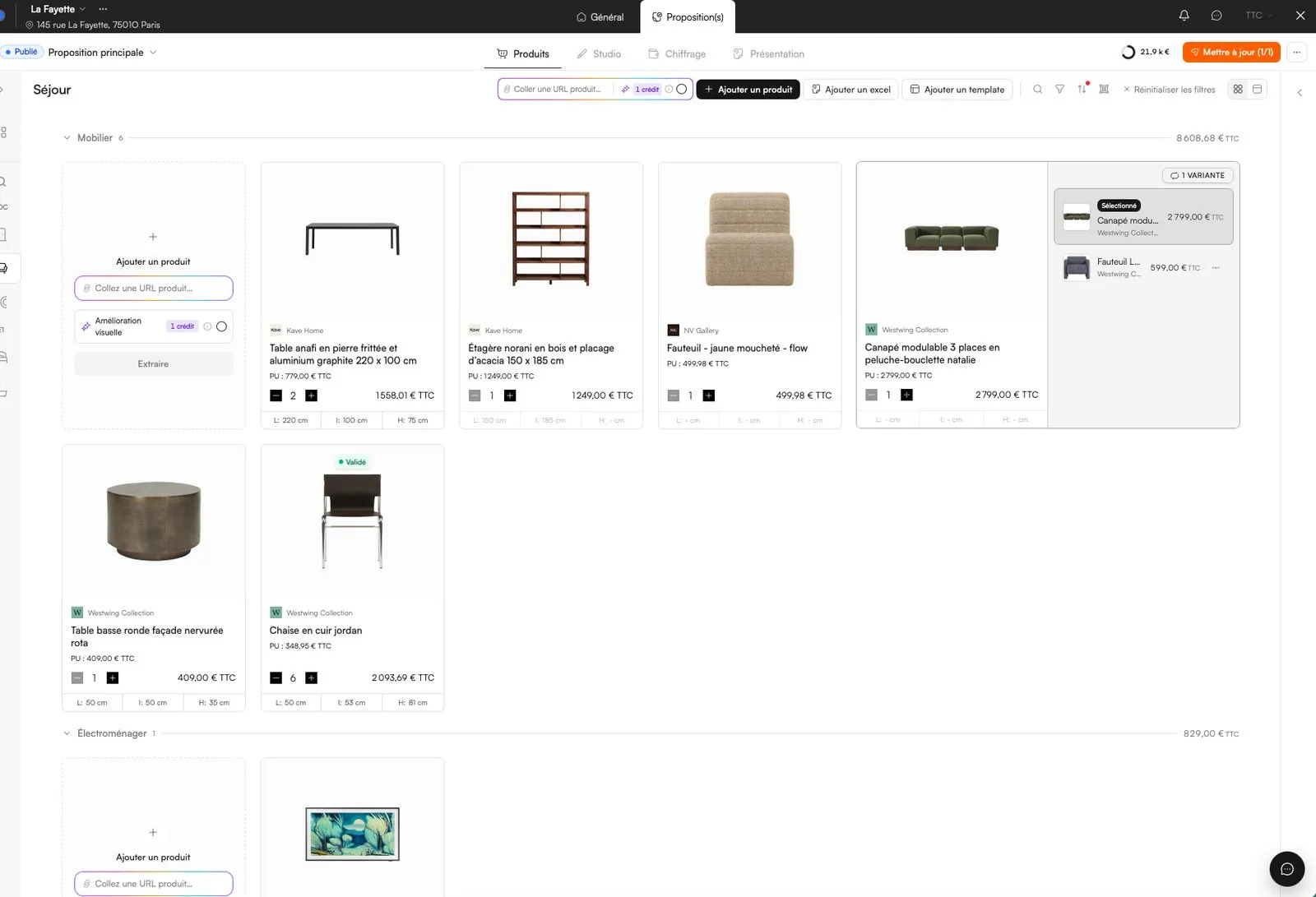
You should not have to start again. In Phasen you can import an existing Excel or CSV file, even with jumbled columns: the columns are detected, each product is placed in its room and rows to fix are flagged. New products come in from a supplier link with their image, price and dimensions.
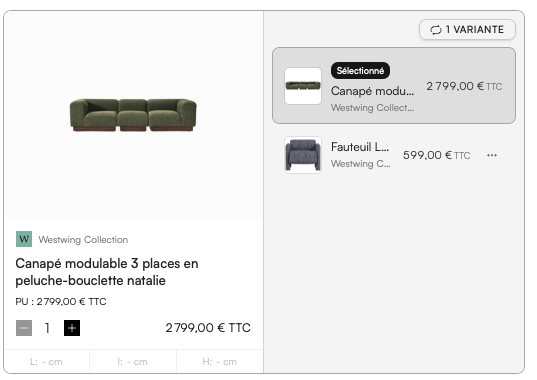
From there, the schedule is no longer a separate document. Supplier discounts and delivery costs entered once feed the live budget and margin; the client approves item by item in the client space; and order tracking records status, lead times and who is buying what directly on each product.
A weekly routine for orders and deliveries
- Check every “Ordered” item has an acknowledgement with a confirmed delivery date.
- Compare lead times with the installation date and flag anything that no longer fits.
- Chase suppliers whose dates have slipped, and note the new date in the schedule, not in your inbox.
- On delivery, inspect for damage and report it within the carrier's or supplier's deadline.
- Record who received each item and where it is stored.
- Send the client a short status update by room.
If you are reviewing your whole toolset rather than just the schedule, start with our guide to choosing interior design software.
Frequently asked questions
What does FF&E stand for?
FF&E stands for furniture, fixtures and equipment. In interior design it covers the movable and semi-fixed items specified for a space, such as furniture, lighting, textiles and accessories, as opposed to the building fabric itself.
What is included in an FF&E schedule?
An FF&E schedule lists every specified item with a unique code, room, description, supplier and reference, finish, dimensions, quantity, prices, lead time and status. Many studios also track purchaser, order number and delivery dates in the same document.
Who prepares the FF&E schedule?
The interior designer usually prepares and maintains the FF&E schedule, as it follows directly from the design and product selection. On larger projects a dedicated FF&E or procurement specialist may manage it, working with the contractor for fixtures.
What is the difference between FF&E and OS&E?
OS&E stands for operating supplies and equipment, a term mostly used in hospitality. It covers items such as linen, tableware, glassware and small equipment needed to operate the building, while FF&E covers furniture, fixtures and larger equipment.
Can I use Excel for an FF&E schedule?
Yes, and many designers do. Excel works well for a single project managed by one person. It becomes harder to manage with images, several editors, a separate client version and order tracking, which is when designers move to dedicated software.
Try Phasen on your next project.
Free forever for 3 active projects, no credit card required.
Keep reading
All articles ›Interior Design Software: How to Choose the Right Stack
The best interior design software is the one that follows your projects from first link to final delivery. Here is how to judge tools against your real workflow, not a feature list.
Read the article ›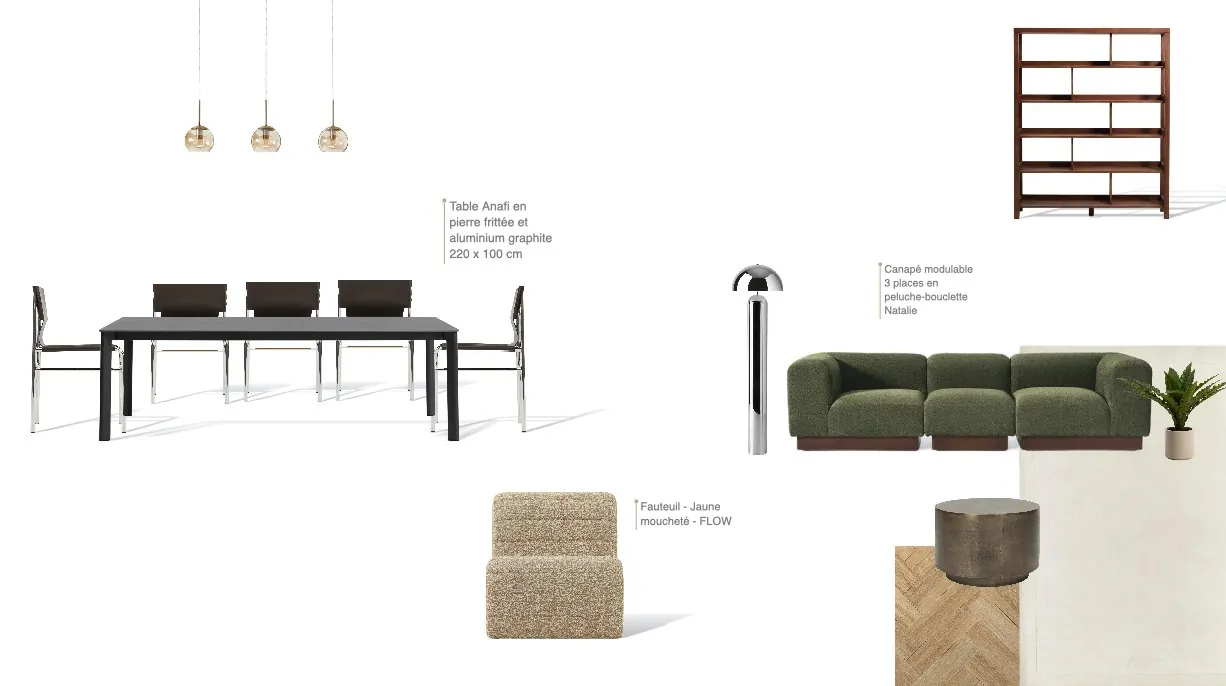
Interior Design Moodboard: A Professional Step-by-Step Guide
A professional moodboard is not a collage: it is the first decision document of the project. Here is a step-by-step method that leads straight to a buildable product selection.
Read the article ›
Interior Design Fees and Markup: How to Price Your Work
Fixed fee, hourly rate, percentage or markup on furniture: how to choose a fee structure, calculate it from your real costs and explain it clearly to clients.
Read the article ›