Interior Design Software: How to Choose the Right Stack
The best interior design software is the one that follows your projects from first link to final delivery. Here is how to judge tools against your real workflow, not a feature list.
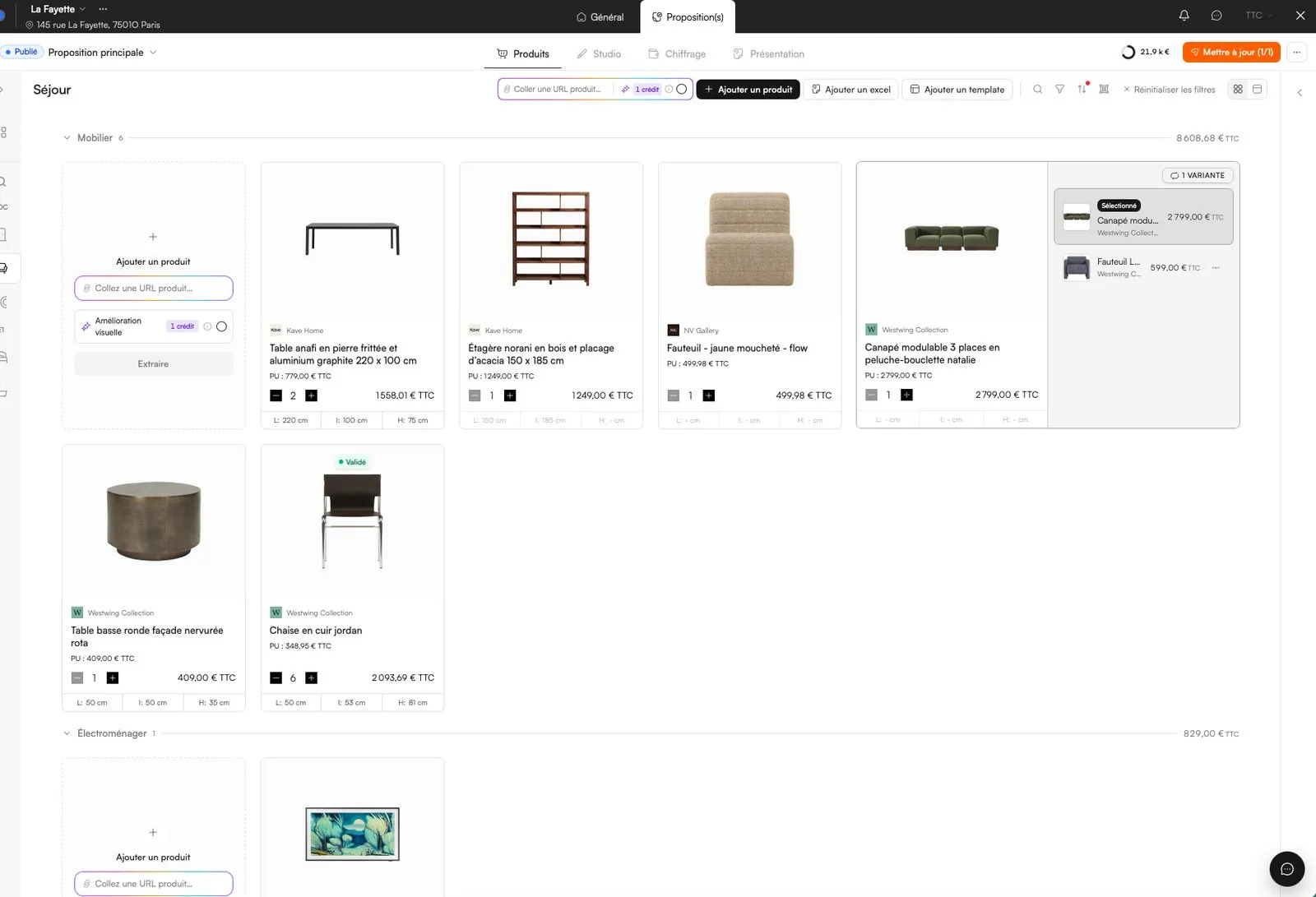
Choosing interior design software is less about finding the tool with the longest feature list and more about finding the one that matches how a project actually moves through your studio. Most designers already own a drawing tool. What they lack is a single place where a product, once sourced, carries its image, price, dimensions and supplier all the way through the moodboard, the client presentation, the budget and the order. Start from your workflow, list where information gets typed twice, and judge every tool by how much of that re-keying it removes.
What interior design software actually covers
“Interior design software” is an umbrella term for at least five different jobs. Few tools do all of them well, so be clear about which ones you are trying to solve.
| Job | What you need | Typical tool category | Where it breaks |
|---|---|---|---|
| Drawing and 3D | Plans, elevations, 3D models | CAD and 3D modelling software | Rarely the problem: most studios are settled here |
| Visual direction | Moodboards, scheme boards, renders | Moodboard tools, DTP, render services | Images are disconnected from prices and suppliers |
| Product and specification | FF&E schedule, specs, quantities | Spreadsheets | Copy-paste, broken formulas, no images, several versions |
| Client-facing | Presentations, approvals, comments | DTP, PDF, email, messaging apps | Feedback scattered across channels, decks redone at every change |
| Money and delivery | Costing, markup, orders, deliveries | Spreadsheets, accounting and project management software | Margins recalculated by hand, order status lives in inboxes |
The friction is almost never in drawing. It sits between the visual work and the operational work: the moment a sofa on a moodboard has to become a line in a budget, a page in a deck and a purchase order.
Map your project workflow before you look at tools
Take one recent project and write down every stage it went through. If you work alongside architects, you may already think in RIBA Plan of Work stages; a simpler residential version looks like this:
- Brief and survey: client requirements, measured survey, photos, existing pieces to keep.
- Concept: moodboards and a first direction per room.
- Sourcing: dozens, often hundreds, of products found across supplier websites.
- Design development: final selection, finishes, quantities, the FF&E schedule.
- Presentation and sign-off: the client reviews, asks for alternatives, approves.
- Procurement: quotes, orders, deposits, lead times.
- Delivery and installation: receiving, inspecting, snagging, handover.
Next to each stage, note which tool you used and what information you had to enter again from a previous stage. That list of duplicated data is your real buying brief.
The hidden cost of a patchwork stack
A typical independent studio runs on a spreadsheet, a moodboard tool, a layout or DTP application, cloud storage, email and a messaging app. Each tool is cheap on its own. The cost is in the gaps between them.
Here is an illustrative calculation, to adapt with your own figures. A project has 60 products. Each product appears in five places: the schedule, a moodboard, the presentation, the budget and an order tracker. When a client swaps a third of the products after the first presentation, that is 20 products × 5 places = 100 manual updates. At one minute each, it costs well over an hour and a half per revision round, and every update is a chance to leave an old price in the deck.
- Subscriptions: add up what you pay each month across every tool, including the ones only used for one step.
- Re-keying time: count the updates per revision, as above, and multiply by your typical number of revision rounds.
- Errors: a wrong dimension or an out-of-date price that reaches a client or a supplier costs more than any licence.
- Onboarding: every extra tool is one more thing a new team member has to learn.
Eight criteria that matter for interior designers
1. One product record, used everywhere
The single most important question: when you change a price or a finish once, does it update the schedule, the boards, the presentation and the budget? If not, you are buying another place to copy data into.
2. Sourcing speed
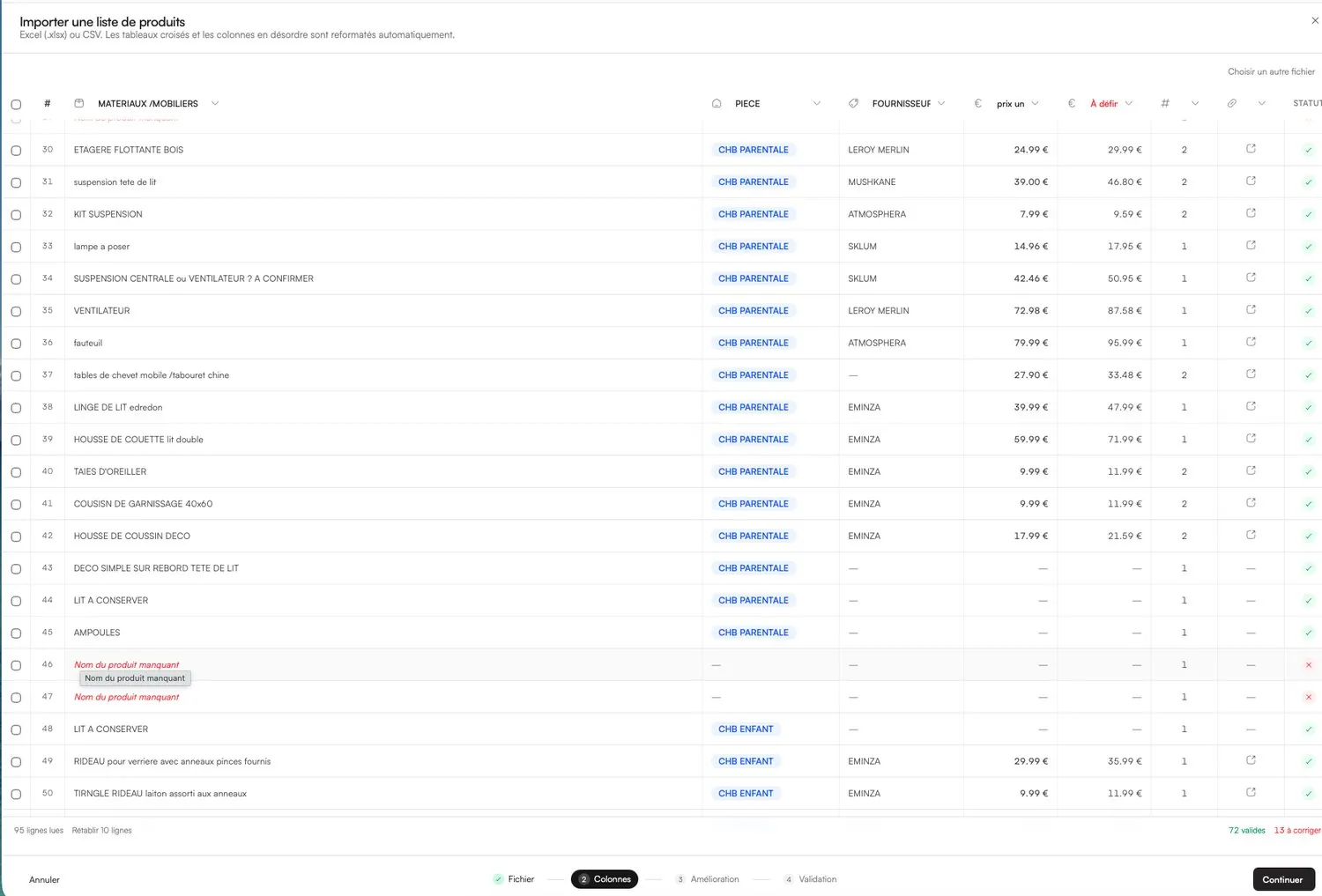
Sourcing is where hours disappear. Look for import from a product link, so that name, brand, image, price and dimensions are pulled in for you, and for a way to bring in your existing spreadsheets rather than starting from zero.
3. Client-facing output
Can the tool produce a branded presentation from the project itself, and can the client approve item by item without creating an account? Clients who have to sign up for something tend to reply by email instead.
4. Money: trade price, client price, VAT
You need trade and client prices side by side, supplier discounts, delivery costs and a live margin, with the ability to hide all of it from the client. Read our guide to interior design fees and markup before you set this up.
5. Procurement tracking
Statuses on the product itself (to order, ordered, shipped, delivered), lead times and who is buying what. If order tracking lives in a separate file, it will drift from the approved selection.
6. A library that grows with every project
The products you sourced last year should be searchable today, with their finishes and suppliers. For studios, the library and templates should be shared across the team.
7. Plays nicely with your design tools
Project software should feed your CAD and 3D tools, not replace them. Exports in common formats matter more than a built-in drawing module you will never use.
8. Your data stays yours
Check that you can export your products and projects, and that client and supplier information stays confidential.
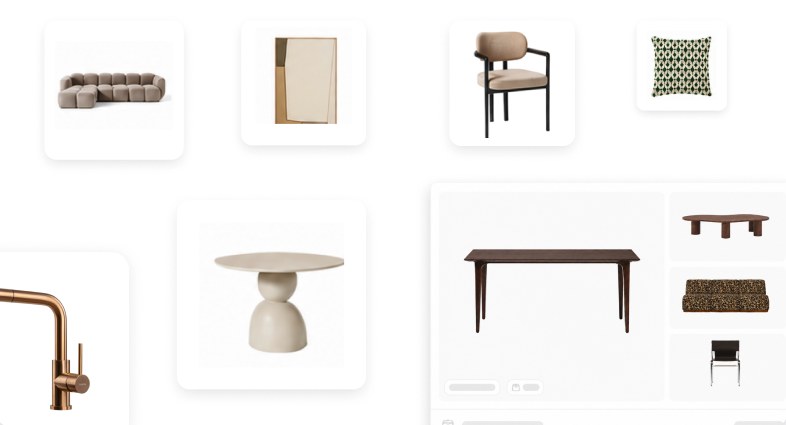
Evaluation checklist to use during a trial
- Can I add a product from a supplier link in under a minute, with image, price and dimensions?
- Can I import my current spreadsheet without retyping it?
- Are products organised by project and by room, with a total per room?
- Does a moodboard use the same product records as the schedule?
- Is the client presentation generated from the project, in my branding, and still editable?
- Can the client accept, decline and comment on each item through a simple link?
- Can I choose exactly what the client sees: prices, suppliers, product links?
- Do supplier discounts and delivery costs feed a live margin?
- Is order status recorded on each product, with lead times visible?
- Can my team share projects, products and templates, with roles and permissions?
- Can I export my data?
Run the trial on a real project
Demos always look good. A live project tells you the truth. Pick a room you are working on this month and run it end to end:
- Import 20 to 30 real products, from different suppliers.
- Build one moodboard for the room with those products.
- Generate the client presentation and send it to a client you know well.
- Change two prices and swap one product, then check how many places you had to update.
- Mark three products as ordered and see whether the budget and the status follow.
Where Phasen fits in your stack
Phasen is built for the gap described above, between visual work and operations. A product link becomes a product sheet; that sheet then appears on moodboards, in a presentation laid out in your branding, in the client's online sign-off space, in the live budget and margin and in order tracking. Existing Excel or CSV files can be imported, even with jumbled columns.
It does not replace your CAD software, your accounting package or your quoting tool: it can generate 3D models of selected products for your design software, but the drawings stay where they are. Plans are Free (3 active projects), Pro at €29 excl. VAT a month and Studio at €99 excl. VAT a month with 3 users included; details are on the pricing page. Studios with several designers can see how shared projects and libraries work on the page for studios.
Whatever you choose, build the rest of your process around a solid product list. Our FF&E schedule template lists the columns every project needs, and our guide to the client presentation shows how to turn that list into fast sign-off.
Frequently asked questions
What software do interior designers use?
Most interior designers combine a CAD or 3D tool for drawings with spreadsheets for product lists, a moodboard or DTP tool for visuals and email for client feedback. Increasingly, studios add dedicated project software that links sourcing, presentations, budgets and orders so the same product data is not typed several times.
Is there free interior design software for professionals?
Yes, several professional tools have free tiers. Phasen's Free plan is free forever and includes 3 active projects, unlimited product imports, client sign-off, costing and order tracking, with 30 AI credits a month. Check whether a free plan limits projects, branding or exports before you commit real work to it.
Do interior designers need CAD software?
If you produce plans, elevations or joinery drawings, you need a CAD or 3D tool, and project management software will not replace it. Many decorators and stylists working mainly on furnishing and styling can manage without full CAD, relying on supplier dimensions, measured surveys and moodboards.
Can I run an interior design business on spreadsheets?
You can, and many studios start that way. Spreadsheets struggle once you have several projects in parallel, more than one person editing, images to manage and a client version to keep in sync with the internal one. That is usually the point where dedicated software pays for itself.
Try Phasen on your next project.
Free forever for 3 active projects, no credit card required.
Keep reading
All articles ›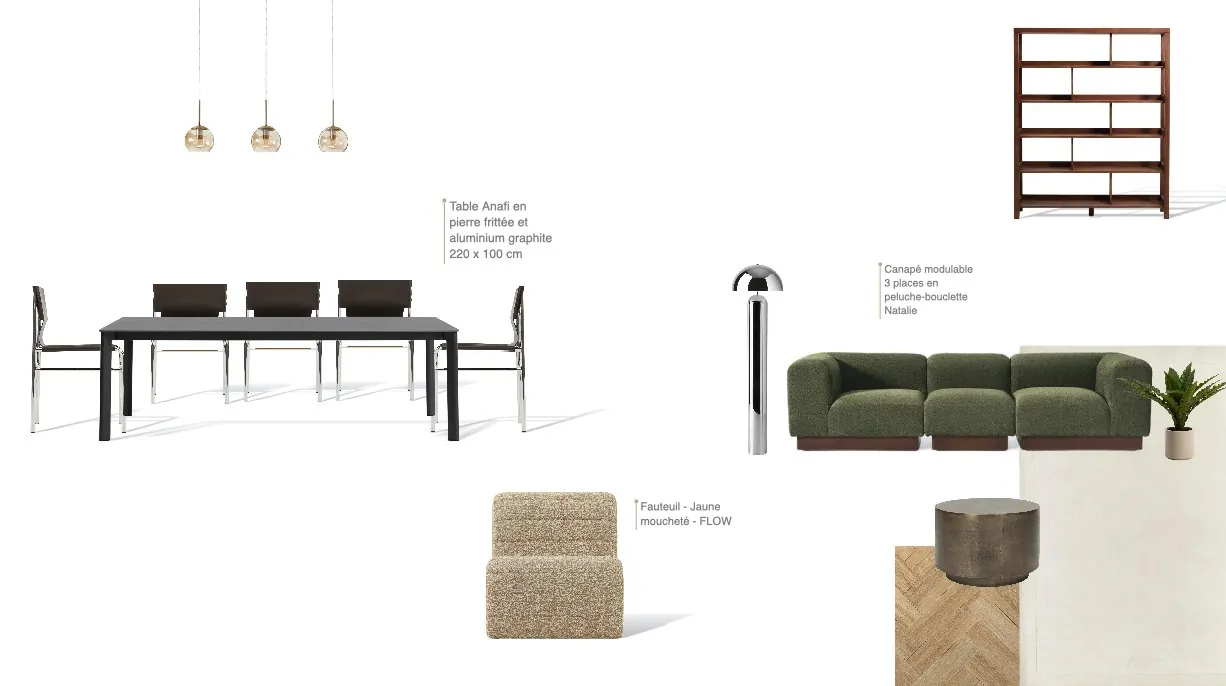
Interior Design Moodboard: A Professional Step-by-Step Guide
A professional moodboard is not a collage: it is the first decision document of the project. Here is a step-by-step method that leads straight to a buildable product selection.
Read the article ›FF&E Schedule Template: Columns, Statuses and Tracking
The FF&E schedule is the backbone of every interiors project. Here are the columns it needs, how to structure it and how to keep it alive from sign-off to delivery.
Read the article ›
Interior Design Fees and Markup: How to Price Your Work
Fixed fee, hourly rate, percentage or markup on furniture: how to choose a fee structure, calculate it from your real costs and explain it clearly to clients.
Read the article ›